Duration: Late Feb 2022 - Nov 2023
Target user / group: Foreign Domestic Workers (FDWs), Overseas Indonesians and Students
Team size: 3
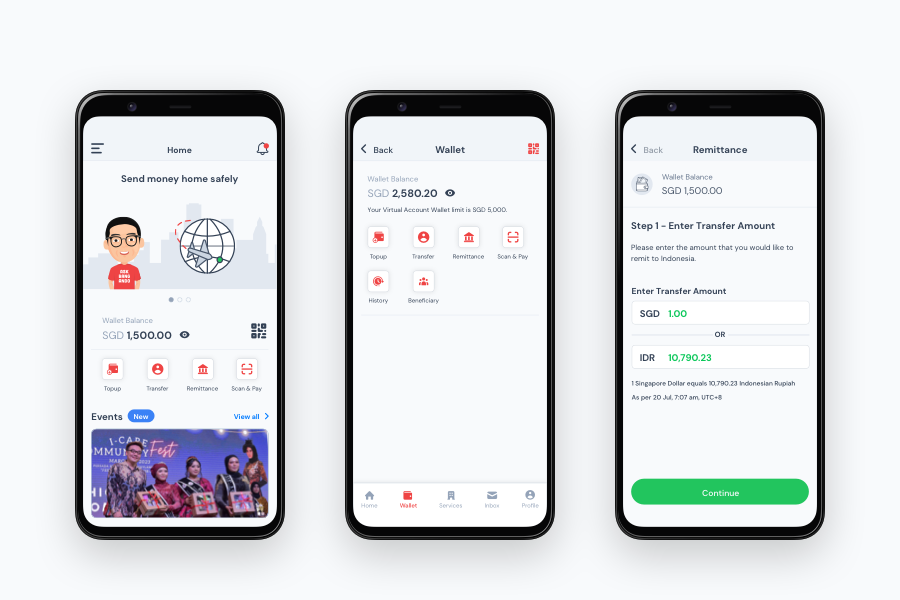
The Android app formerly named 'Bang Ando' has been rebranded as 'kakak ai.'
Background:
The client, Anak Indonesia, envisioned the app, Bang Ando, named after its founder Ando, as an ecosystem tailored to serve the needs of his community. The primary objective was to establish a deep sense of relatability for users, fostering a dependable relationship akin to that of a trusted brother, known as 'abung' or 'bung' in Malay, reflecting the essence of the app's namesake.
My responsibilities:
During my tenure at Lab Moneta, I had the privilege of collaborating on a pivotal project with the client, Anak Indonesia, focused on addressing the unique needs of migrant workers. Partnering closely with a senior designer, I played a key role in the design, testing, and implementation phases of a groundbreaking fintech application.
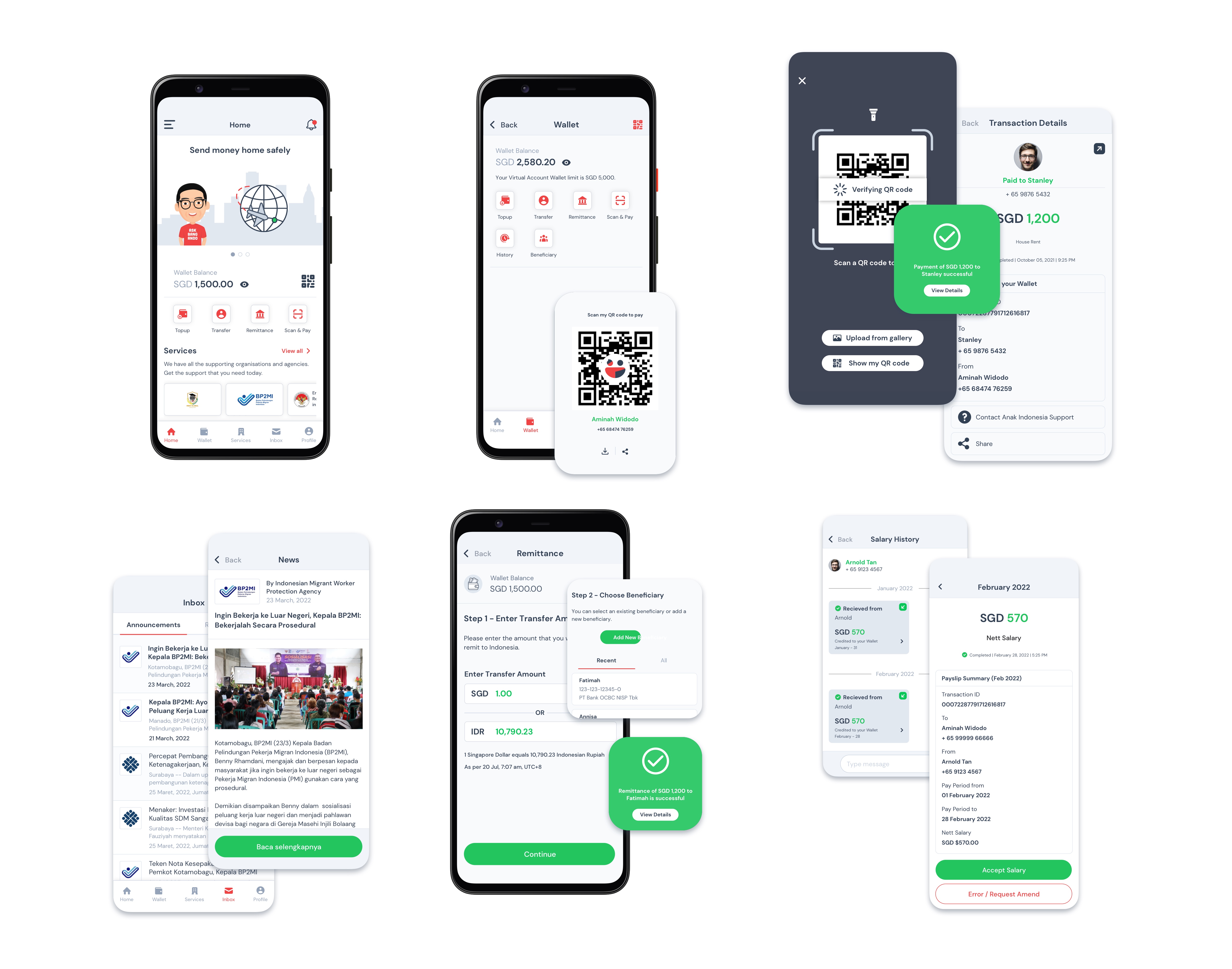
This innovative app was meticulously crafted to cater specifically to the requirements of migrant workers, offering an array of indispensable features. Among its functionalities, it boasted an electronic wallet facilitating seamless top-ups, peer-to-peer and merchant payments, as well as efficient remittance services.
Moreover, the app's capabilities extended beyond financial transactions. It offered services tailored to streamline passport renewal processes, facilitated embassy-related paperwork, provided access to educational courses and career advancement training, and ensured the secure storage of payslip records.
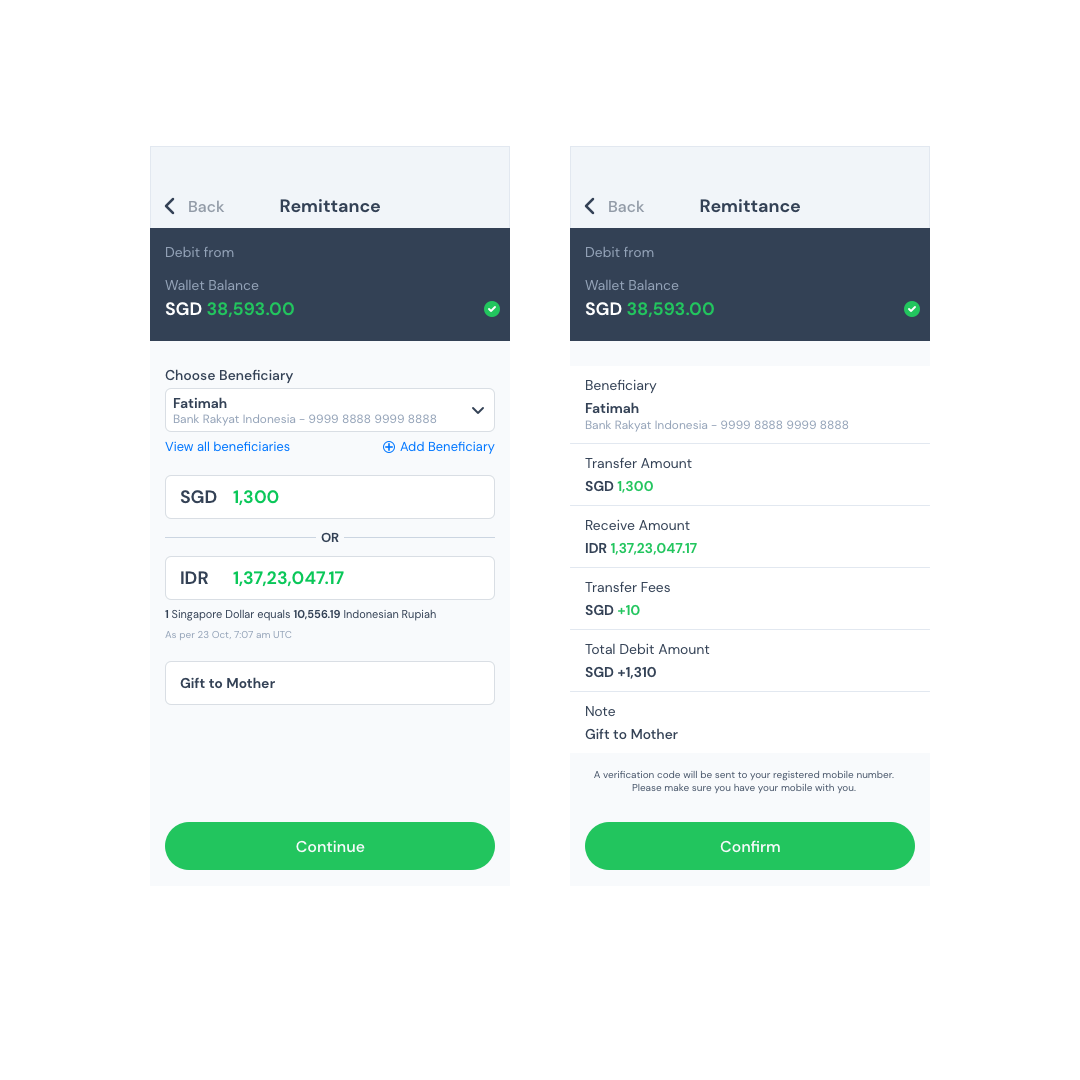
Before
Previous Remittance Screens
- Visibility and contrast issues in the dark blue "wallet balance" section may hinder user interaction, particularly in low-light conditions.
- The app currently requires users to perform three actions on a single screen: selecting a beneficiary, specifying the amount to send, all while considering the exchange rate, and providing an optional note for the transaction.
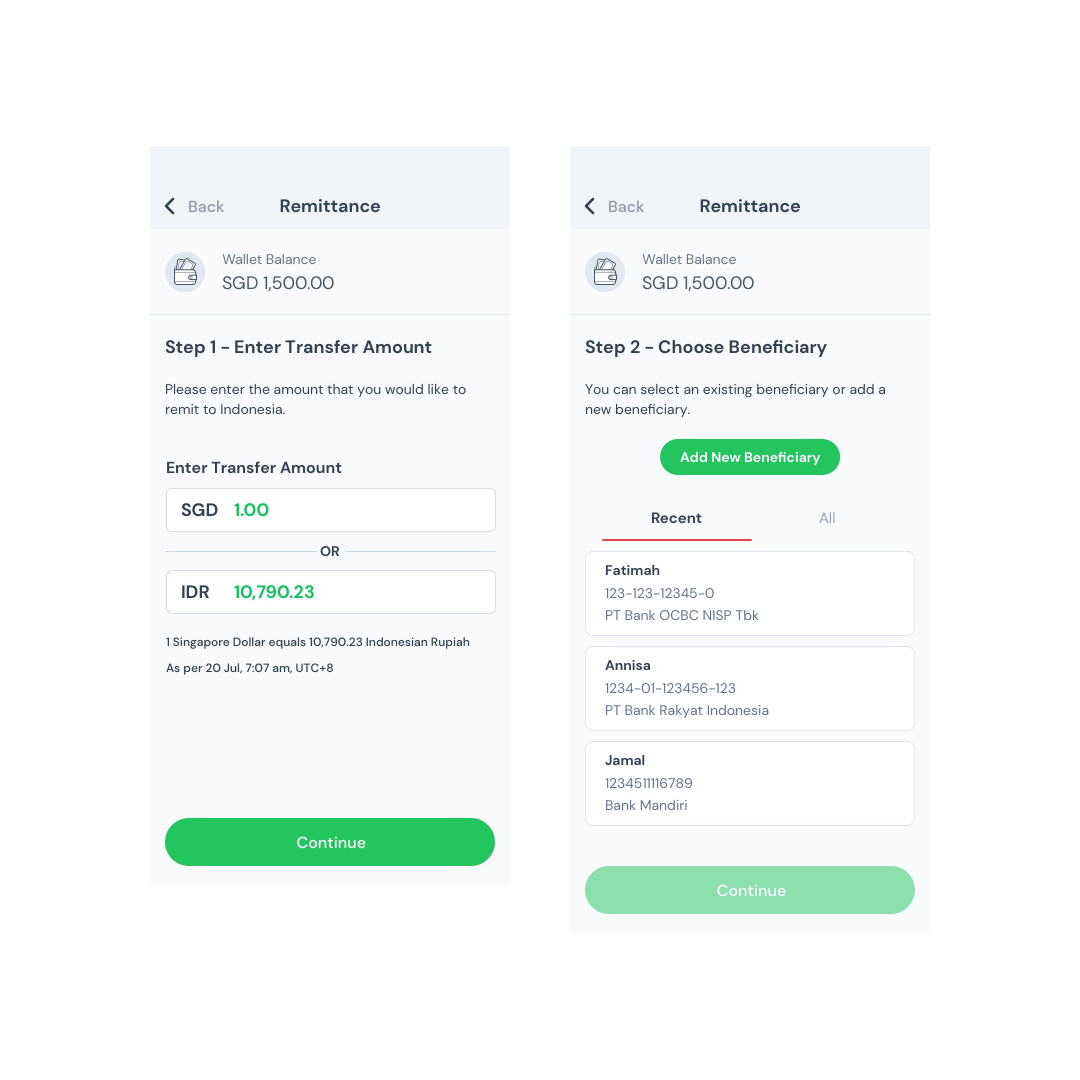
After
Present Remittance Screens
- The wallet balance section has been redesigned to be less visually distracting while still providing users with essential information about how much they can send.
- Each action—such as selecting a beneficiary, specifying the amount to send, and considering the exchange rate—is now presented on separate screens. This improvement enhances the user experience by reducing information overwhelm and ensuring clarity at each step.
- Userflows:
- User flows depict the paths that users take to accomplish specific tasks within the app.
- Wireframes:
- They serve as a blueprint for the app's interface.
- Mockups:
- Mockups provide a realistic preview of how the app will look and feel.
- Prototypes:
- Prototypes are interactive representations of the app's interface. They allow stakeholders to navigate through the app's screens and experience its functionality firsthand. Prototypes help validate design decisions and gather feedback early in the development process.
- Design System and UI Style Guide:
- Maintaining the design system and UI style guide which defines the visual language and design standards for the app. It includes guidelines on typography, colour palettes, iconography, button styles, and other UI elements. The style guide ensures consistency across the app and facilitates collaboration among designers and developers.
- UI Improvements from Usability Testing Reports:
- Usability reports help highlight areas of the app that are intuitive or problematic for users, along with recommendations for improvement. This iterative design process is conducted throughout the product's lifetime.
- Completed Sprint Design Handoff:
- Export assets for a clean, seamless handover to the developing team.